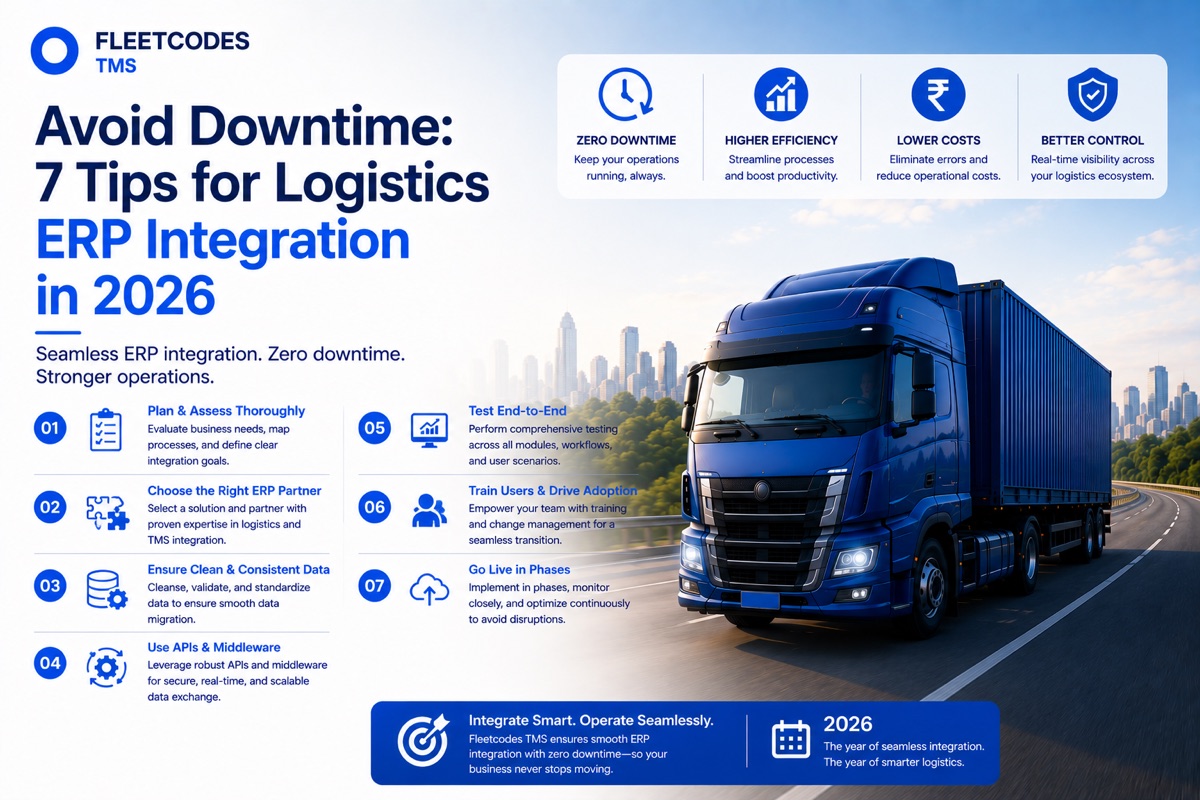
The irony of a failed ERP integration is that it creates the very operational downtime you were implementing the system to prevent. Here's how to make sure that doesn't happen to your business.
Why Logistics ERP Integration Is High-Stakes — and High-Value
Logistics ERP integration is the process of connecting your transport management system with your other business tools — accounting software, GPS platforms, customer portals, government compliance systems (e-way bill portal, FASTag), payroll, and any other operational system that your business depends on.
When ERP integration for logistics is done well, the result is a connected operation where data flows automatically between every function — dispatch, billing, driver management, compliance, and reporting — eliminating manual re-entry, reducing errors, and dramatically improving operational visibility.
When it's done poorly, the result can be: data lost in transition, invoice gaps, dispatcher confusion as two systems show conflicting information, and the kind of operational disruption that costs customers and revenue simultaneously.
The difference between a smooth logistics ERP integration and a disruptive one comes down largely to preparation, sequencing, and choosing a platform designed for straightforward deployment. Fleetcodes is built to minimise integration risk — but these seven tips apply regardless of which transport ERP software you're implementing.
See how Fleetcodes makes ERP integration seamless → Book a Demo
Tip 1: Map Your Current Workflows Before You Touch the New System
The most common cause of downtime during logistics ERP integration is discovering mid-implementation that your new system doesn't handle a specific workflow the way your business actually runs it — and scrambling to fix it while live operations are affected.
The solution is to document your current workflows in detail before the implementation begins:
- How is a new load created and assigned to a vehicle?
- What triggers an invoice — POD receipt, trip closure, customer approval?
- How are driver settlements calculated — what variables, what deductions, what approvals?
- What compliance documents are required for each trip type?
- How do customer rate cards work — fixed, per-km, per-tonne, contract-specific?
This workflow centralisation exercise serves two purposes: it ensures your transport management ERP is configured to match your actual processes from day one, and it surfaces exceptions and edge cases that need to be handled before go-live rather than after.
For logistics workflow automation to work correctly, the automation rules need to reflect the actual rules your business operates by. Getting this right upfront is the most valuable time investment in any ERP implementation.
Tip 2: Standardise Your Data Before Migration
Bad data migrated into a new logistics ERP software doesn't become good data — it becomes bad data with a digital record. And bad master data (incorrect customer rate cards, wrong vehicle specifications, outdated driver records) causes billing errors and operational confusion from day one.
Before migrating any data to Fleetcodes or any transportation ERP software, conduct a data quality review:
- Customer records — are all customer names, billing addresses, and rate cards current and accurate?
- Vehicle records — are registration numbers, vehicle types, and fuel efficiency profiles correct for every vehicle in the fleet?
- Driver records — are all driver licence numbers, contact details, and pay structures current?
- Rate cards — are the rates loaded for every customer the actual current contracted rates?
Standardised, clean data is the foundation of an ERP integration for transport companies that works reliably from day one. The hour spent cleaning data before migration saves days of correcting billing errors after go-live.
As noted in our guide on how Fleetcodes eliminates double entry, the integration is only as accurate as the data flowing through it.
Tip 3: Run Parallel Operations During the Transition Window
The safest approach to any transport ERP implementation guide is a parallel run period — a window (typically 5–10 days) where the new system runs alongside the old one, both processing real operational data.
During this period:
- Trips are created and managed in Fleetcodes
- The old system (or manual process) continues running as a backup reference
- The operations team compares outputs — does the Fleetcodes invoice match what the old process would have generated? Does the route shown match expectations?
- Discrepancies are identified and resolved while the safety net of the old system is still in place
This approach is essential for centralised logistics ERP platform implementations because it allows the team to build confidence in the new system with zero operational risk. By the time the old process is switched off, everyone has seen the new system handle real loads correctly.
The parallel run period adds time to the implementation — but it dramatically reduces the risk of discovering a critical configuration error during live operations with no fallback.
Tip 4: Integrate Stakeholders Early — Especially Drivers and Dispatchers
One of the most consistent findings in logistics ERP integration implementations is that the systems that work well are the ones where the end users — especially drivers and dispatchers — were involved before go-live, not surprised by the change on day one.
Stakeholder alignment at the implementation stage means:
- Dispatchers know the new dispatch workflow before it goes live — they've seen it, practiced with it, and had their questions answered
- Drivers have been onboarded to the mobile app with hands-on training — they understand how to update trip status, capture a POD, and submit an expense claim
- Accounts team understands the new billing workflow — what triggers an invoice, how to handle exceptions, where to find reconciliation data
- Management knows what the new dashboards show and how to use them for operational decisions
ERP integration for dispatch operations particularly depends on dispatcher buy-in. If dispatchers revert to informal methods (WhatsApp, phone calls) because they weren't adequately onboarded on the new system, the automation layer loses its data source and the whole integration breaks down.
Fleetcodes provides role-specific onboarding for every user type — because the platform is only as effective as the people using it.
Tip 5: Prioritise Real-Time Logistics Visibility from Day One
One of the most important outcomes of logistics ERP integration is the shift from lagging indicators (last month's report) to leading indicators (what's happening right now). To get this value from day one, the real-time logistics visibility using ERP features need to be configured and tested before go-live.
This means:
- GPS integration is live and feeding vehicle positions into the Fleetcodes dispatch dashboard
- Trip status updates from the driver app are appearing in real time
- The operations dashboard is showing the KPIs that matter to your management team (on-time delivery rate, fleet utilisation, fuel consumption vs. benchmark)
- Alert thresholds are configured — idle time alerts, route deviation alerts, geofence triggers — so the system is actively monitoring from the first day of live operations
AI-powered logistics ERP value is front-loaded in the visibility it creates. The sooner your team is making decisions based on live data rather than phone calls and memory, the sooner the operational benefits compound.
Tip 6: Address the Integration Points Systematically
A logistics automation platform is connected to multiple external systems — each of which represents an integration point that needs to be tested and validated before go-live.
For a typical Fleetcodes implementation, the integration checklist includes:
| Integration | What to Test | Common Issues | |---|---|---| | GPS / telematics | Vehicle positions updating in real time | Hardware compatibility, refresh rate settings | | E-way bill portal | E-way bill generated from trip data correctly | GST registration details, commodity codes | | FASTag / NETC | Toll transactions appearing against correct vehicles | Vehicle RFID registration, tag status | | Accounting software | Invoices syncing to accounting records | Chart of accounts mapping, tax code alignment | | Customer portals | Tracking visibility and delivery notifications working | API authentication, notification preferences | | Driver mobile app | Trip updates, POD capture, expense submission | Device compatibility, offline functionality |
Testing each integration point with real data — not test data — before go-live is the single most effective way to prevent logistics ERP integration challenges from surfacing during live operations.
Fleetcodes provides a structured integration validation checklist as part of implementation — because preventing integration failures is more efficient than resolving them after they've disrupted your operation.
Tip 7: Define What "Successful Integration" Means Before You Start
Logistics ERP integration implementations often struggle not because the technology fails, but because there's no clear, agreed definition of success — so the organisation never fully commits to the new system and continues hedging with old processes.
Before your implementation begins, define and document:
- Go-live criteria — what does the system need to do correctly before you switch off the old process?
- Success metrics at 30 days — what KPIs will you measure to confirm the integration is delivering value? (Invoice generation time, billing error rate, dispatch time per load, on-time delivery rate)
- Exception handling protocols — what happens when an edge case occurs that the system doesn't handle automatically? Who decides? How is it resolved?
- Support and escalation — who is the internal owner of the system? What is the escalation path to Fleetcodes support?
With these defined upfront, the implementation has a clear destination. The team knows what success looks like, and the business knows when it has fully transitioned from the old process to the new one.
For logistics ERP software India implementations, this clarity is especially important because logistics businesses run 24/7 and can't afford extended ambiguity about which system is the source of truth.
Connecting the Dots: How These 7 Tips Work Together
These seven tips aren't independent best practices — they form a connected framework for logistics ERP integration that keeps your operation running throughout the change:
- Workflow mapping (Tip 1) informs data standardisation (Tip 2)
- Clean data feeds into confident parallel running (Tip 3)
- Stakeholder onboarding (Tip 4) ensures the system gets the data it needs
- Real-time visibility (Tip 5) validates the integration is working
- Systematic integration testing (Tip 6) catches technical issues before they affect operations
- Clear success definition (Tip 7) ensures the implementation reaches a definitive close
As we explored in our guide on migrating from manual processes to Fleetcodes, the migration itself doesn't need to be disruptive. With the right sequencing and preparation, your operation runs throughout — and emerges from the implementation genuinely more capable.
Why Fleetcodes Is Built for Low-Disruption Integration
Fleetcodes is designed as a logistics automation platform that minimises integration complexity — because the team that built it understands that Indian logistics businesses can't pause operations for a lengthy IT project.
Key design decisions that reduce integration risk:
- Open API architecture — connects to existing GPS hardware, accounting tools, and customer systems without requiring hardware replacement
- Mobile-first driver app — designed for the full range of smartphone literacy levels common in Indian driver workforces
- India-native compliance — e-way bill and GST compliance built in, not bolted on
- Role-based interfaces — every user type sees only what's relevant to their function, reducing training complexity
- 3–7 day deployment — structured implementation that gets core workflows live quickly, with advanced features activated progressively
This is fleet ERP integration designed to work with your operation — not around it.
FAQs
What is logistics ERP integration? Logistics ERP integration is the process of connecting a transport management or ERP platform with the other systems a logistics business depends on — GPS tracking, accounting software, government compliance portals, customer systems, and payroll — so data flows automatically between them without manual re-entry.
What are the most common logistics ERP integration challenges? The most common challenges are poor data quality in the migrated master data, inadequate stakeholder onboarding (particularly drivers and dispatchers), untested integration points that fail at go-live, and the absence of a clear parallel run period to validate the system before fully switching over.
How long does logistics ERP integration take with Fleetcodes? Core Fleetcodes integration — dispatch, GPS, digital POD, and billing — is typically live within 3–7 days. Full integration including e-way bill, accounting sync, and advanced analytics is usually complete within 2–4 weeks.
How does ERP integration improve logistics efficiency? ERP integration eliminates manual data re-entry between systems, automates billing and settlement workflows, provides real-time operational visibility, and enables management reporting from a single, centralised data source — reducing errors, delays, and administrative overhead across the operation.
Is Fleetcodes suitable as a logistics ERP software India solution? Yes. Fleetcodes is purpose-built for Indian logistics operations — with native e-way bill integration, GST-compliant billing, FASTag connectivity, and support for the operational workflows, vehicle types, and compliance requirements specific to the Indian market.
Seven tips. One platform. Integration that keeps your operation running throughout. Book Your Free Fleetcodes Demo →